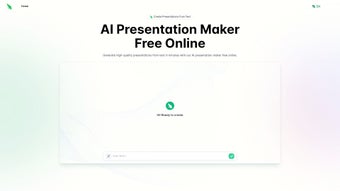

Download Slides Bot – AI Presentation Maker, Fast Slides Creation, Free Online Tool
Introduction – Why AI‑Powered Slide Creation Matters Today
In today’s fast‑paced business and educational environments, the ability to convey ideas quickly and visually is more valuable than ever. Traditional presentation software often requires hours of manual formatting, searching for appropriate images, and tweaking layouts to achieve a polished look. This time‑consuming process can delay project timelines, reduce productivity, and increase the risk of burnout for teams that need to deliver high‑impact decks on tight deadlines.
Slides Bot addresses these challenges by leveraging artificial intelligence to transform raw text into a fully designed slide deck in a matter of seconds. The platform combines natural‑language processing, image‑recognition algorithms, and a curated library of design themes to automate the heavy lifting while still giving users full creative control through an intuitive web editor. Whether you are a sales professional needing a quick pitch, a teacher preparing lecture slides, or a startup founder crafting a fundraising deck, Slides Bot promises to cut preparation time dramatically, improve visual consistency, and free mental bandwidth for strategic thinking.
By offering a free tier with unlimited slide generation, the tool democratizes access to professional‑grade presentation design, making it an essential addition to any productivity toolkit.
Key Features that Set Slides Bot Apart
- AI‑Driven Content Parsing: Paste or upload raw text, and the engine automatically creates slide titles, bullet points, and speaker notes. The algorithm detects headings, sub‑headings, and key phrases, ensuring logical slide flow.
- Design Theme Library: Choose from over 50 professionally crafted themes, each optimized for color contrast, readability, and brand‑friendly palettes. Themes are regularly updated to reflect current design trends.
- Multilingual Support: Works in English, Spanish, French, German, Mandarin, Japanese, Portuguese, and many other languages, enabling global teams to generate decks without language barriers.
- Image Recommendation Engine: The AI suggests royalty‑free images from trusted sources (Unsplash, Pexels) that match the context of each slide, saving users from tedious stock‑photo searches.
- Real‑Time Collaboration: Share a live link with teammates, edit slides simultaneously, and track changes with version history, making remote teamwork seamless.
- Export Options: Download presentations as PowerPoint (.pptx), PDF, Google Slides, or even as a shareable web link, giving flexibility for different audience preferences.
- Secure Cloud Processing: All operations happen over encrypted HTTPS connections; files are stored temporarily and auto‑deleted after 24 hours unless saved to a personal account.
- Custom Branding: Insert your logo, corporate colors, and custom fonts to maintain brand consistency across every slide, a feature especially valuable for marketing teams.
The feature set is designed for both speed and depth. While the AI handles the heavy lifting, the editor gives you full control over layout, typography, and animation timing. This hybrid approach means you get the best of automation without sacrificing creative freedom.
For example, a user can generate a draft deck in under five minutes, then spend a few additional minutes fine‑tuning slide order, adjusting chart data, or swapping out suggested images to better fit the narrative. The result is a professional‑grade presentation that feels handcrafted, even though the bulk of the work was completed by intelligent software. Additionally, Slides Bot’s modular architecture allows new features—such as interactive data visualizations or AI‑generated speaker notes—to be added without disrupting existing workflows, ensuring the platform stays future‑proof.
Installation, Usage & Compatibility
Getting Started – No Download Required
Slides Bot is a fully web‑based solution, so there is no traditional installation process. Simply visit slidesbot.com, click the “Start for Free” button, and create a lightweight account using an email address or a single‑sign‑on option (Google, Microsoft, or Apple). After confirming your email, you are taken directly to the dashboard where you can begin a new project. The onboarding wizard guides you through the first steps, offering tips on how to structure input text for optimal AI parsing.
Step‑by‑Step Workflow
- Input Your Content: Copy‑paste plain text, upload a .txt/.docx file, or import directly from Google Docs. The AI reads headings, bullet points, and paragraph breaks to determine slide boundaries.
- Select a Theme: Browse the theme library and pick one that matches your audience’s expectations—whether corporate, educational, or creative.
- Generate Slides: Click “Create Slides,” and the AI parses the content, inserting headings, bullet points, speaker notes, and context‑aware images.
- Fine‑Tune: Use the drag‑and‑drop editor to rearrange slides, edit wording, replace images, adjust typography, or add custom animations. The sidebar provides quick access to branding tools and layout presets.
- Export or Share: Download the final deck in your preferred format, or generate a live share link for collaborative review. Exported files retain all design elements, ensuring consistency across platforms.
Operating System Compatibility
Because Slides Bot runs in modern browsers, it is compatible with Windows 10/11, macOS Ventura and later, Chrome OS, Android 8.0+, and iOS 13+. The platform supports Chrome, Edge, Firefox, Safari, and the built‑in browsers of Android and iOS. No additional plugins or extensions are required, making it a truly cross‑platform solution. Users on older browsers will receive a graceful fallback message prompting an upgrade to ensure security and performance.
Updates, Security & Support
Updates are delivered automatically on the server side, meaning you always have access to the latest AI models, design templates, and security patches without any manual action. Slides Bot follows industry‑standard security practices: TLS 1.3 encryption for all data in transit, encrypted temporary storage for uploaded files, and compliance with GDPR, CCPA, and ISO 27001. Customer support is available 24/7 via live chat, email, and an extensive knowledge base that includes video tutorials, best‑practice guides, and a community forum where power users share tips and custom theme creations. For paid “Pro” subscribers, priority support guarantees response within one hour, ensuring any workflow interruptions are quickly resolved.
Pros, Cons & Frequently Asked Questions
Pros
- Lightning‑fast slide generation – create a full deck in under five minutes.
- Zero‑cost entry level – the free tier includes unlimited slides with basic themes.
- AI‑powered image suggestions keep presentations visually engaging.
- Multilingual capability broadens accessibility for international teams.
- Secure, temporary cloud storage protects confidential data.
- Real‑time collaboration eliminates version‑control headaches.
- Wide export options ensure compatibility with PowerPoint, Google Slides, and PDF viewers.
Cons
- Advanced branding features (custom fonts, premium themes) require a paid subscription.
- Internet connection is mandatory; offline use is not currently supported.
- Complex data visualizations (e.g., interactive charts) need manual adjustment after generation.
- Free tier stores generated files only for 24 hours, requiring a quick export if long‑term access is needed.
- AI may occasionally misinterpret ambiguous headings, necessitating a brief review step.
FAQ
Is Slides Bot really free?
Yes, the core AI presentation maker is free forever. You can create unlimited slides with the standard theme library at no cost. Premium themes, custom branding, and priority support are part of the paid “Pro” plan.
Can I use Slides Bot on a mobile device?
Absolutely. The responsive web app works on Android and iOS browsers. All editing tools adapt to touch input, allowing you to generate and tweak presentations on the go.
How secure is my data?
Slides Bot uses TLS 1.3 encryption for all data transfers. Uploaded files are stored in encrypted temporary storage and automatically deleted after 24 hours unless you save them to your account. The platform complies with GDPR and CCPA standards.
Can I export to Google Slides directly?
Yes. After generating a deck, choose “Export → Google Slides” and authenticate with your Google account. The presentation is transferred to your Drive, preserving layout and images.
What types of files can I import?
Slides Bot accepts plain text (.txt), Microsoft Word (.docx), and Google Docs links. For richer content, you can also paste formatted HTML, and the AI will interpret headings and lists accordingly.
Is there a limit on the number of slides I can generate?
The free tier imposes no hard slide count limit, but very large decks (over 200 slides) may experience slightly longer processing times. For unlimited performance and priority rendering, the Pro subscription removes any practical limits.
Reviewer Summary: Slides Bot delivers on its promise of rapid, AI‑driven slide creation while maintaining a high degree of visual quality. The free tier is generous, and the web‑only model eliminates compatibility headaches. Power users may miss offline capabilities, but the overall value is excellent for most professionals.
Conclusion – Why You Should Download Slides Bot Today
In a world where time is the most valuable resource, Slides Bot offers a compelling blend of speed, intelligence, and design excellence. Its AI engine reduces the manual labor of slide building to a few clicks, while the built‑in editor ensures you retain creative control. Compatibility across Windows, macOS, Android, and iOS means you can work wherever you are, and the secure, cloud‑first architecture protects your confidential information. Whether you need a quick sales deck, a detailed academic lecture, or a polished pitch for investors, Slides Bot equips you with the tools to produce professional results without a steep learning curve or costly software licenses. Take advantage of the free plan, explore the premium features as your needs grow, and experience a new level of productivity in presentation creation.
Download Slides Bot now and start turning your ideas into stunning slides in seconds.



.png)



